

Wheel alignment without the rack.
Press your iPhone flush to the rim. AXL reads toe and camber with its motion sensors — accurate to about 0.1°.
In the driveway
Check toe & camber at home.
No alignment rack, no strings, no shop appointment. Just you, your car, and your phone. Make an adjustment, measure again, and see if you're in range.
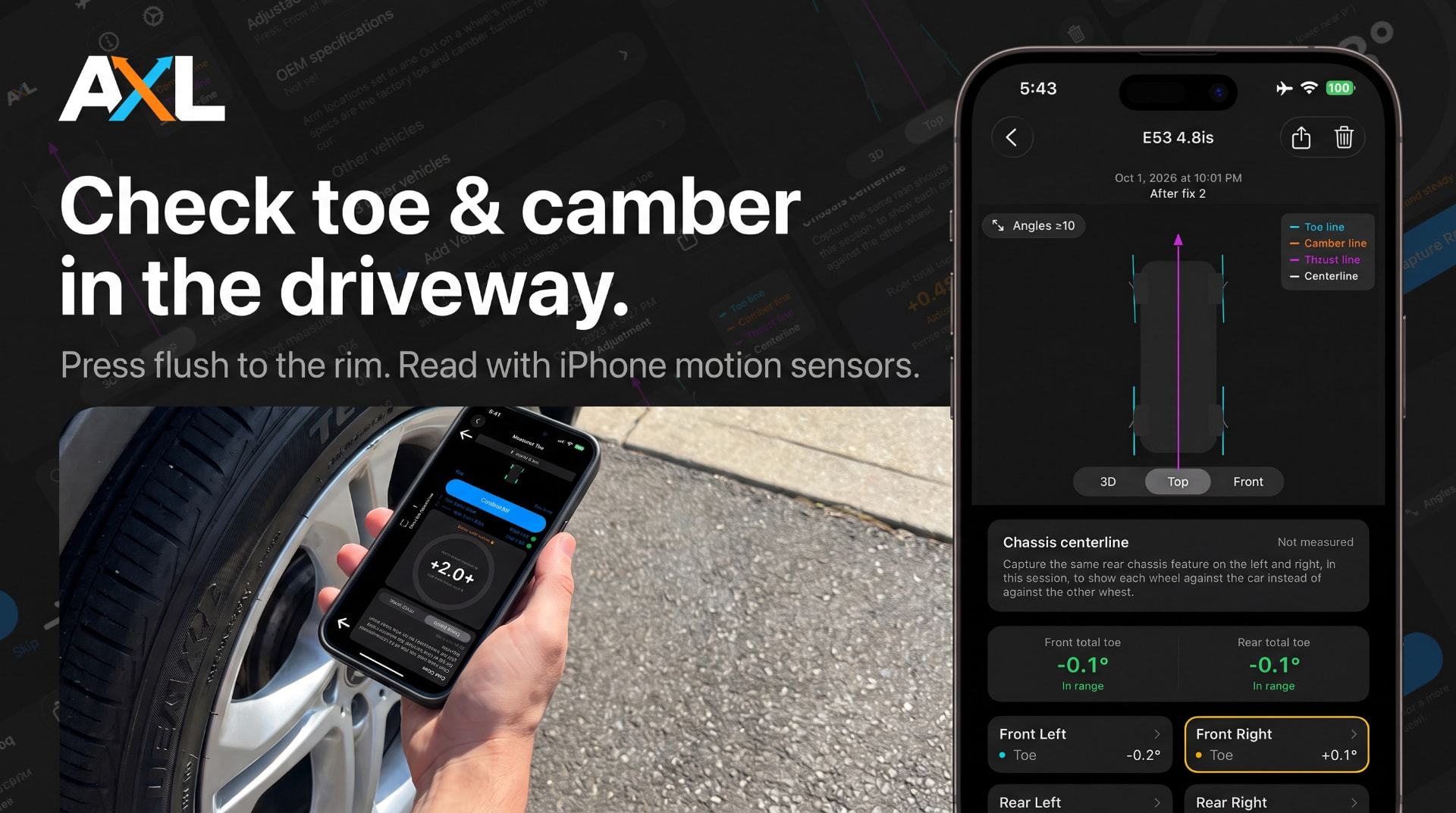
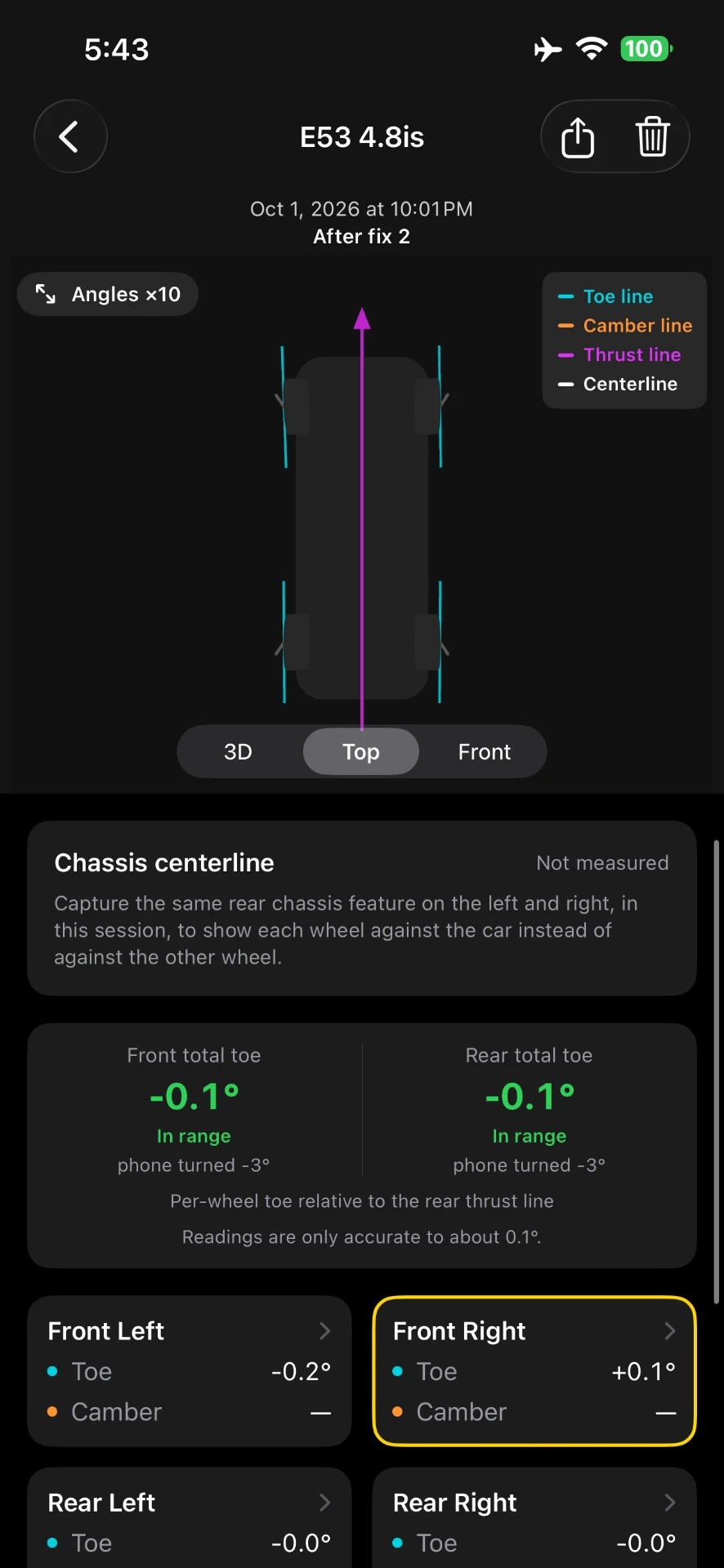
Everything your alignment shop sees.
Toe
Per-wheel and total toe, relative to the rear thrust line.
Camber
Read camber on every corner with the phone flush to the rim.
Thrust line
See where the rear axle is actually pointing the car.
Chassis centerline
Measure each wheel against the car, not just the other wheel.
Body roll
Level the car out before you trust a reading.
Save, compare, average
Keep every test per vehicle and compare before and after.
How it works
- 1
Use your iPhone in a flat case
No special gear needed — just your iPhone in a flat phone case. Optional: print the free AXL X-tender for extra reach and stability.
- 2
Press flush, hold still
Screen to the sky, press the power-button (or volume) edge flat against the rim lip. A guided pitch rail and haptic feedback tell you when you're steady — tap Capture.
- 3
Read your numbers
Toe, camber and thrust angle for every wheel, measured with your iPhone's motion sensors.
Download X-tender.
The AXL X-tender is free to 3D print for supported iPhones. Pick your model and download the .stl.